

In today’s competitive business environment, implementing an Enterprise Resource Planning (ERP) system is no longer optional—it’s a strategic necessity. An ERP connects finance, supply chain, HR, and operations into a single, unified system, helping organizations improve efficiency and visibility.
ERP systems can transform how organizations operate, but achieving that success can be complicated. Many projects go over budget, miss deadlines, or do not deliver the expected results. Effective ERP project management is crucial to address these issues. It helps ensure that every milestone, resource, and process is coordinated so the system can be completed on time and within budget.
This article looks at how using structured project management methods, along with modern tools and technology, can help organizations succeed with their ERP systems.
The Importance of ERP Project Management
ERP implementations are large, cross-functional projects involving multiple stakeholders, technical teams, and change initiatives. Without a solid management framework, even the most advanced ERP solution can fail to deliver value.
Common reasons ERP projects go off track include:
- Unclear scope and unrealistic timelines
- Poor stakeholder communication
- Lack of change management
- Data migration issues and integration errors
- Budget overruns due to customization or delays
A well-governed ERP project solves these challenges through structured planning, transparent monitoring, and disciplined execution. In short, project management gives the ERP initiative direction, structure, and predictability.
Core Methodology: Ensuring On-Time and On-Budget Delivery
The success of ERP implementation depends on using a clear method that includes planning, execution, monitoring, and control.
1. Planning
Every successful ERP journey begins with a well-defined plan. This stage includes:
- Defining objectives and KPIs, including cost targets, go-live dates, and ROI metrics.
- Establishing a project charter outlining scope, stakeholders, and responsibilities.
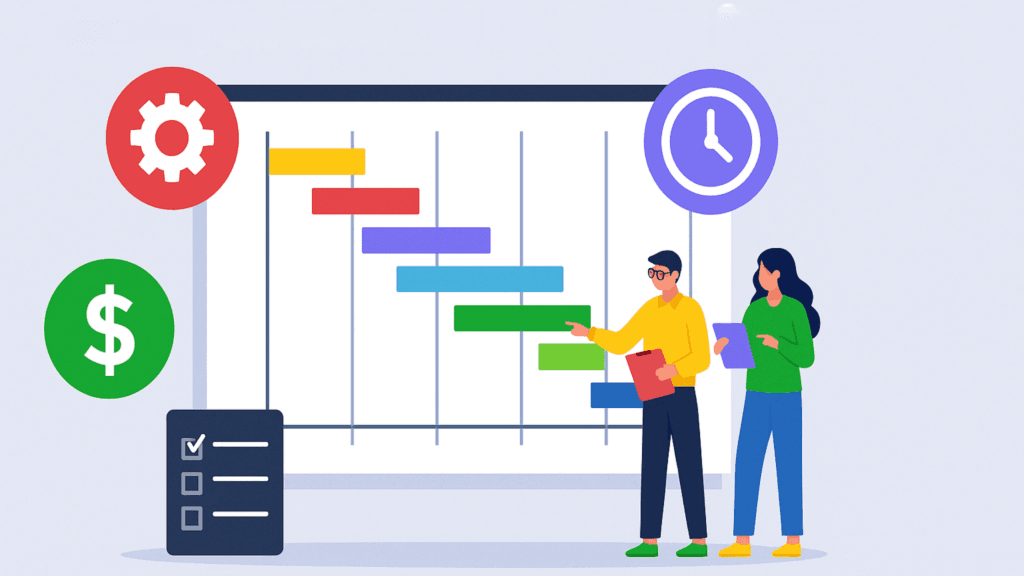
- Developing a Gantt chart or roadmap that breaks the project into measurable phases.
Planning also involves resource allocation and identifying potential risks before the project begins. A clear plan prevents scope creep and ensures financial and operational discipline.
2. Execution
During execution, configuration, testing, and data migration take place. The focus is on collaboration, timeline control, and quality assurance.
Key priorities include:
- Maintaining cross-department communication through weekly reviews.
- Using agile or hybrid methodologies to deliver functional modules in short cycles.
- Tracking task completion and dependencies using project management software.
The execution phase requires strong leadership and the ability to adapt to new challenges. It is important to handle these challenges while meeting deadlines and staying within budget.
3. Monitoring and Control
Constant visibility into project health is crucial. Monitoring involves comparing actual performance with the baseline plan using metrics such as:
- Schedule Performance Index (SPI)
- Cost Performance Index (CPI)
- Variance at Completion (VAC)
Regular dashboards, automated reports, and milestone reviews help teams spot issues early and fix them right away.
4. Project Closure and Stabilization
Once the ERP goes live, the focus shifts to stabilization and optimization. Conduct post-implementation reviews, measure adoption rates, and track KPIs like system uptime, data accuracy, and user satisfaction. This ensures the project continues to deliver value long after go-live.
Tools and Software That Support ERP Project Management
Delivering an ERP project on time and within budget requires more than strong methodology—it demands the right tools and software ecosystem. Each stage of the ERP lifecycle benefits from specialized technologies designed to improve efficiency, collaboration, and visibility.
1. Core ERP Platforms
These are the central enterprise systems being implemented under ERP project management.
- SAP S/4HANA – Industry-leading ERP platform with end-to-end modules for finance, manufacturing, and logistics.
- Oracle Cloud ERP – A cloud-based suite with strong analytics and AI-driven process automation.
- Microsoft Dynamics 365 – Integrates ERP and CRM, enabling unified business operations and real-time insights.
- Workday Financials & HCM – Specializes in HR, payroll, and financial management for large organizations.
- Infor CloudSuite / NetSuite / Epicor – Cloud ERP systems built for manufacturing, retail, and mid-market enterprises.
These platforms form the foundation of digital transformation—but managing them efficiently depends on strong project controls.
2. Project Planning and Tracking Tools
ERP initiatives require complex scheduling and milestone management.
- Microsoft Project and Smartsheet – Used for creating Gantt charts, setting dependencies, and tracking deliverables.
- Monday.com, Wrike, and Asana – Ideal for agile sprints and team collaboration.
- Primavera P6 – Preferred for large, multi-site ERP rollouts requiring detailed scheduling.
These tools ensure visibility into timelines, progress, and accountability—helping teams prevent bottlenecks before they escalate.
3. Financial Control and Budget Monitoring
Keeping ERP projects within budget is one of the most critical success factors.
- SAP Project System (PS) – Integrated module for cost planning and resource management.
- Oracle PPM Cloud – Monitors budget variance, earned value, and resource utilization.
- Workday Adaptive Planning – For forecasting, financial modeling, and variance analysis.
- Planview – Helps large enterprises manage multiple ERP projects across portfolios.
By combining cost tracking with real-time reporting, these systems prevent budget overruns and maintain executive confidence.
4. Data Migration and Integration Tools
Data accuracy defines ERP success. Reliable migration and integration tools minimize downtime and ensure consistency.
- MuleSoft, Dell Boomi, and Informatica – Handle integration between ERP, CRM, HR, and legacy systems.
- Tricentis Tosca – Automates ERP testing, reducing manual validation effort.
- UiPath / Automation Anywhere – Use robotic automation to accelerate repetitive data-migration tasks.
5. Change Management and User Adoption Platforms
ERP success ultimately depends on people. These tools help manage change and drive user adoption.
- WalkMe, Whatfix, and SAP Enable Now – Provide interactive user guidance and training directly within the ERP interface.
- Microsoft Teams, SharePoint, and Slack – Enable collaboration and communication throughout the project.
A well-structured change management process reduces resistance and accelerates the transition to the new system.
6. Analytics and Performance Tracking Solutions
Once implementation begins, real-time visibility into project health is essential.
- Power BI and Tableau – Offer visual dashboards for tracking progress, budget, and issue trends.
- SAP Analytics Cloud / Oracle Analytics Cloud – Provide integrated ERP performance analytics.
Analytics platforms empower CIOs and project sponsors to make data-driven decisions, ensuring the project stays aligned with business goals.
Best Practices for Successful ERP Project Delivery
- Set realistic goals and timelines. Over-ambitious targets lead to rushed work and errors.
- Avoid unnecessary customizations. Stick to standard ERP functionality to save cost and simplify upgrades.
- Communicate consistently. Weekly status updates and steering-committee meetings keep stakeholders aligned.
- Monitor progress visually. Use dashboards and Gantt charts for transparency.
- Prioritize training and adoption. Allocate time and budget for comprehensive user enablement.
- Maintain documentation. Record every configuration, decision, and change for accountability.
Following these best practices helps maintain control, prevent overruns, and ensure timely delivery.
Conclusion
Delivering an ERP project on time and on budget is not luck—it’s the outcome of careful planning, strong leadership, and intelligent tool selection.
Successful ERP project management blends methodology with technology:
- Methodology provides structure, accountability, and control.
- Tools and software ensure visibility, precision, and collaboration.
By aligning these elements, organizations can transform ERP implementation from a high-risk initiative into a model of operational excellence.
Whether deploying SAP, Oracle, or Microsoft Dynamics, the principles remain the same—plan strategically, execute with discipline, monitor continuously, and empower your teams with the right tools. When you manage your ERP project with this balance of strategy and technology, you not only deliver on time and on budget, but also build a scalable foundation for your company’s future growth.
👉 Ready to deliver your ERP project with confidence?
Connect with Everite Solutions today to build a scalable, future-ready ERP foundation.