Every business is unique — from workflows to customer engagement strategies. While Microsoft Dynamics 365 is one of the most powerful ERP and CRM platforms available, its true potential lies in how well it can be tailored to fit your organization.
Out of the box, Dynamics 365 delivers excellent functionality across sales, operations, finance, and service. Yet, most enterprises and SMEs soon discover that to achieve accurate operational alignment, they need to customize Dynamics 365 around their business model.
In this guide, we explore the best ways of customizing Dynamics 365, discuss customization capabilities, highlight real-world examples, and outline when it’s time to hire a Dynamics 365 customization expert. By the end, you’ll know precisely how to tailor Dynamics 365 to your business needs — and how Everite Solutions can help you make it happen.
Why Customizing Microsoft Dynamics 365 Is Essential
Every organization operates differently — from approval hierarchies and sales cycles to service workflows and analytics needs. Implementing Dynamics 365 “as is” can limit performance because prebuilt modules are designed for general use. Customizing ensures that:
- Workflows reflect your business reality — automating processes the way your teams actually work.
- Dashboards and reports show what matters most — enabling smarter, faster decisions.
- User experience feels intuitive — encouraging adoption and efficiency.
- Integrations connect your tech stack — CRM, ERP, marketing tools, and legacy systems work seamlessly.
In essence, customization bridges the gap between Microsoft’s robust out-of-the-box system and your organization’s distinct needs. It ensures Dynamics 365 becomes a strategic enabler rather than a rigid framework.
Understanding the Flexibility of Microsoft Dynamics 365
Dynamics 365 is strong because it is flexible and scalable. It helps organizations start small, quickly adapt, and grow easily across different departments and locations.
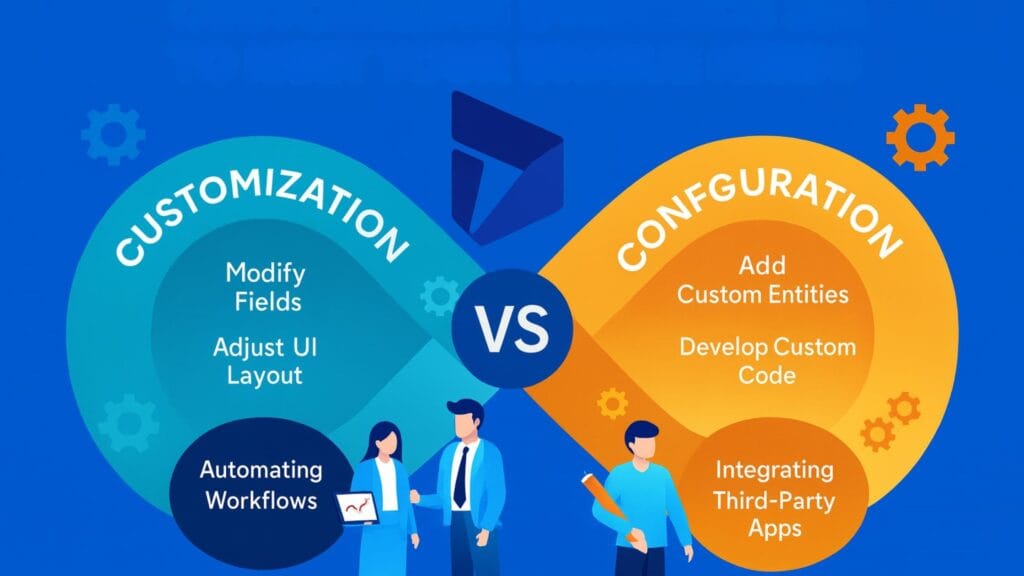
1. Configuration (No-Code Adjustments)
Many organizations begin with no-code or low-code configuration options that deliver instant value.
These include:
- Customizing forms, dashboards, and reports for specific roles
- Adding or removing fields based on data requirements
- Designing workflows through Power Automate
- Adjusting access permissions and user roles
- Applying company branding and UI themes
Configuration allows SMEs and IT teams to align Dynamics 365 with their daily operations — quickly, efficiently, and without heavy development effort.
2. Advanced Customization (Code-Level Enhancements)
For enterprises with complex systems or specialized requirements, advanced customization is the next step. Examples include:
- Writing plugins or JavaScript to create custom logic
- Building API integrations with ERP, IoT, or third-party tools
- Designing unique entities and workflows
- Embedding Power Apps or Canvas Apps to handle specific tasks
With these customizations, Microsoft ERP flexibility truly shines — giving businesses the ability to adapt Dynamics 365 for any process, department, or data model.
Benefits of Customizing Dynamics 365
1. Aligned Technology and Business Goals
Customizing Dynamics 365 ensures that the software mirrors your organization’s actual processes — from lead management to order fulfillment — rather than forcing your team to conform to a generic setup.
2. Increased User Adoption and Efficiency
When employees see dashboards, forms, and workflows designed for their specific roles, they are more likely to use them. Customizing these tools makes it easier to learn, encourages engagement, and increases productivity.
3. Deeper Insights for Decision-Makers
Tailored analytics dashboards and KPIs help leaders make more informed decisions. With the right data model, Dynamics 365 turns into a strategic engine for data-driven growth.
4. Improved Collaboration Across Teams
Integrating the sales, marketing, and finance modules in Dynamics 365 removes information silos and improves visibility across teams.
5. Scalability and Future-Proofing
Every customization can evolve with your organization. Dynamics 365’s architecture ensures scalability, making it easy to expand into new regions, industries, or service lines.
Implementation Strategy: How to Tailor Dynamics 365 for Business Needs
Customizing Dynamics 365 is not just about adding features — it’s about designing an intelligent system that evolves with your business.
Step 1: Define Clear Objectives
Before making changes, define specific goals — such as improving order accuracy, shortening approval cycles, or enhancing customer experience.
Step 2: Map and Document Business Processes
Document workflows, identify inefficiencies, and determine where automation or customization can bring measurable improvement.
Step 3: Choose Between Configuration and Customization
Start with configuration wherever possible to minimize complexity. Move to code-based solutions only when necessary to meet advanced requirements.
Step 4: Establish a Governance Model
Set up policies for testing, deployment, and documentation to ensure every customization remains maintainable and upgrade-safe.
Step 5: Train and Refine
User feedback is gold. Provide hands-on training, collect feedback post-launch, and continuously refine your workflows.
Common Mistakes to Avoid
To achieve long-term success, be careful of these common mistakes during customization:
- Over-Customization: Adding features that aren’t necessary can make updates harder and more expensive.
- Ignoring User Input: Users should help shape the features because they use the system every day.
- Skipping Documentation: Always keep a record of changes to make troubleshooting and future updates easier.
- Overloading Dashboards: Too many data points can confuse users and slow down performance.
- Neglecting Performance Optimization: Regularly check how fast forms load, how quickly automation works, and how well APIs respond.
Best Practices for Dynamics 365 Customization
To ensure your customization delivers value — and doesn’t become a maintenance burden — follow these proven principles:
1. Start with Out-of-the-Box First
Leverage standard features before turning to custom development. This approach improves upgrade readiness and minimizes technical debt.
2. Adopt Solution Architecture & Version Control
Use Managed Solutions to package and manage customizations. Maintain version control and trace dependencies across environments for smoother deployment.
3. Align with Business Processes, Not Just Technology
Customize to enhance processes, not replicate inefficiencies. Re-engineer workflows to leverage Dynamics 365 strengths and achieve long-term ROI.
4. Secure and Monitor Customizations
Implement role-based security, audit trails, and regular performance checks. Monitoring ensures your system remains compliant and responsive.
5. Document Everything
Keep detailed documentation of all entities, workflows, and integrations to ensure knowledge continuity and faster troubleshooting.
6. Plan for Change & Growth
Design with scalability in mind — considering future data growth, transaction volumes, and evolving user roles.
Real-World Case Studies
Case Study 1: SME Manufacturing Company
A mid-sized manufacturer needed to unify its sales and field service data. By customizing Dynamics 365, the company:
- Added “Field Inspection” and “Service Ticket” entities
- Automated follow-ups with Power Automate workflows
- Created role-based dashboards for technicians and managers
Results: 30% faster service resolution and 25% higher data accuracy across teams.
Case Study 2: Enterprise Financial Services Provider
A financial institution used Dynamics 365 customization to improve compliance and risk tracking:
- Embedded audit trail logic via custom plugins
- Integrated with third-party KYC and compliance systems
- Built dashboards displaying customer risk scores in real-time
Results: 40% reduction in audit preparation time and complete visibility into client portfolios.
The Best Ways to Personalize Dynamics 365
Here are proven methods to create an intuitive and high-performing Dynamics 365 experience:
- Custom Dashboards: Tailor data views to user roles and KPIs.
- Role-Based Access Control: Show the relevant modules for each department.
- Power Automate Workflows: Streamline repetitive tasks.
- Industry-Specific Templates: Deploy prebuilt apps for verticals like healthcare, retail, or manufacturing.
- AI & Copilot Tools: Use predictive analytics for more intelligent decisions.
Each element enhances efficiency and maximizes your return on investment.
Integrating Dynamics 365 with Other Systems
Customization goes beyond the platform; integration makes it even better. Dynamics 365 connects easily with:
- Power BI for rich, visual analytics
- Microsoft Teams & SharePoint for collaboration
- Azure Functions & Logic Apps for automation and scalability
- Third-Party APIs for CRM, logistics, and payment gateways
When connected, Dynamics 365 acts as your organization’s digital command center, delivering real-time visibility across all business units.
When to Hire a Dynamics 365 Customization Expert
While internal IT teams can handle configurations, large-scale transformations often require professional help. Consider hiring an expert when:
- Your organization requires deep integration with ERP or CRM systems
- Compliance or data governance is critical
- Performance optimization and scaling are top priorities
- You’re preparing for a significant migration or expansion
An experienced Dynamics 365 customization expert ensures your system is optimized, secure, and aligned with Microsoft best practices.
Measuring ROI from Customization
| Metric | Before Customization | After Customization |
| User Adoption | 60% | 90% |
| Process Completion Time | 3 hours | 45 minutes |
| Data Accuracy | 75% | 98% |
| Reporting Efficiency | Moderate | High |
With measurable gains in efficiency and accuracy, customization quickly pays for itself — predominantly when guided by a trusted partner like Everite Solutions.
The Future of Dynamics 365 Customization
Microsoft’s roadmap emphasizes AI integration, Copilot automation, and Power Platform extensibility. Businesses that invest in modular customization today will find it easier to adopt these innovations tomorrow.
With tools like Power Pages, AI Builder, and Dataverse, non-developers can now automate workflows and build apps in-house — ensuring that Dynamics 365 evolves alongside your organization.
Conclusion
Customizing Dynamics 365 is more than a technical exercise — it’s a strategic initiative. It enables your teams to work faster, make smarter decisions, and deliver exceptional customer experiences.
Whether you’re optimizing workflows, improving analytics, or integrating multiple systems, thoughtful customization ensures Dynamics 365 becomes your business’s most valuable digital asset.
Ready to unlock the full potential of your Dynamics 365 environment?
🚀 Partner with Everite Solutions — your trusted Dynamics 365 customization experts.
We’ll help you design, build, and optimize a system that perfectly aligns with your organization’s unique needs.
Transform your Microsoft ERP flexibility into a competitive advantage today.
👉 Visit /dynamics-365-customization to get started.